Your Google Business Profile is often the first detailed view a local customer gets of your business. Before they visit your website, they may compare your category, services, reviews, photos, hours and location information directly in Google Maps.
This checklist helps Australian tradies identify common gaps. It does not guarantee a ranking. Its purpose is to make the profile accurate, complete and genuinely useful.
1. Confirm ownership and access
The business owner should remain the owner of the profile. Staff or an external provider can be added with an appropriate role rather than taking ownership away from the business.
- Confirm the correct Google account owns the profile.
- Remove former staff or providers who no longer need access.
- Use individual access rather than sharing one password.
2. Check the business name
Use the real-world business name customers see on invoices, vehicles and the website. Adding suburbs, services or promotional wording solely to influence rankings can create policy problems and inconsistency.
3. Review categories
The primary category should represent the main service as closely as possible. Secondary categories can cover genuine additional services, but adding every remotely related option makes the profile less focused.
Compare the selected categories with the work the business actually wants and is qualified to perform.
4. Verify the address and service area
A service-area business should not present a private home as a public storefront when customers are not served there. Check whether the address should be hidden and make sure the selected service areas are realistic.
Listing an enormous area does not prove the business is relevant everywhere. Use the places the team can genuinely service.
5. Check telephone and website links
- Call the listed number from a mobile phone.
- Confirm the website link opens the correct secure page.
- Check that tracking numbers, if used, route and report correctly.
- Make sure the website shows matching contact information.
6. Review hours
Keep ordinary hours accurate and update special hours for public holidays. Do not describe the business as open 24 hours unless customers can genuinely receive the represented service at any time.
7. Organise services
Add the real services customers search for and describe them in plain language. Avoid repetitive lists built only for keywords. The service information should help a customer decide whether they have reached the right business.
8. Improve the business description
Explain the main services, service area and useful differentiators. Keep claims factual. Avoid guaranteed outcomes, unsupported “best” claims and unnecessary repetition.
9. Add genuine photos
Useful photos may include completed work, vehicles, equipment, team members and the way the business operates. Recent genuine photos usually build more trust than generic stock photography.
10. Review customer feedback
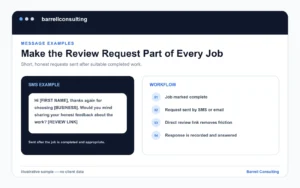
Check the number, recency and themes of reviews. Create a simple direct link for genuine customers and respond professionally without revealing private information.
11. Test the customer journey
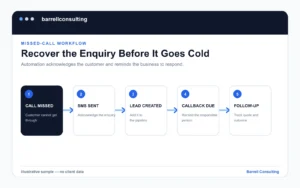
Search for the business as a customer would. Can someone quickly understand what the business does, where it works and how to enquire? Then test the call and website routes.
12. Record a baseline
Before making major changes, save screenshots and record the agreed search, area, calls, website actions and review count. A baseline makes later reporting more honest and useful.
What to do after the audit
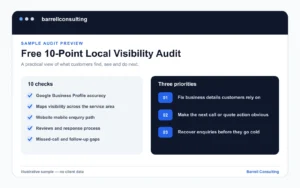
Prioritise accuracy and customer clarity before publishing frequent posts or chasing minor tactics. If the profile, website and enquiry process have several connected gaps, a broader Google Maps and Local SEO review may be more useful than profile work alone.